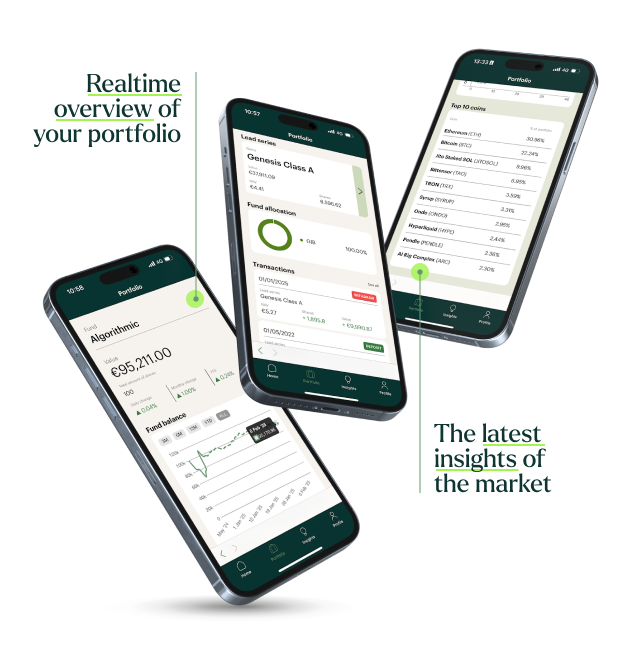
Welcome to Hodl's Investor Portal

We are excited to welcome you as a Hodl investor. To keep track of your investment, you can create an account in our Investor Portal that is available on iPhone, Android, and via a web portal. On this page, you will learn more about installing and using the portal.

Hodl App

How do I log in to the new portal?

Hodl App

Getting started with the Investor Portal

Apple-logo op groene achtergrond, symbool voor technologiebedrijven en innovatie in investeringen.

iPhone

Click the button below to download the Hodl Funds app for iPhone. After installing the app, follow one of the login methods to access your account.

Download the iPhone app
Android robot mascotte in wit op groene achtergrond, symbool voor mobiele app en technologie.

Android

Click the button below to download the Hodl Funds app for Android. After installing the app, follow one of the login methods to access your account.

Download the Android app
Wereldbol met rasterpatroon, symbool voor internationaal bereik en wereldwijde financiële diensten van Hodl Group.

Web portal

Through portal.hodlgroup.com you can access all portfolio insights on tablets and PCs. This version does not include the full content section available in the app.

To the Web Portal

Frequent Questions

Why does the portal indicate that I don't have a portfolio?
+
If you're a participant in one of the Hodl funds and still see this message, it's usually because the email address you're using isn't the one linked to your portfolio, you created an anonymous Apple account that hides your email, or you have not officially entered the fund yet (entry takes place on the last business day of the month, after NAV verification which can take up to 15 business days). Create a new account using the email on which you receive our communications, or contact us so we can review your situation.
I get an error on the portfolio page, what now?
+
The app (or online portal) may occasionally show an error. This can often be resolved by fully closing the app and restarting it. If that doesn't help, please contact us with the email address you used and whether you use the Apple app, Android app or web portal, plus a screenshot if possible.
Why can't I log in?
+
This is often caused by the old portal login credentials not working in the new environment. Create a new account with the email address where you receive our newsletters via “Need an account? Sign up”, enter your email, name and password, and complete the verification code sent by email. If that doesn't help, contact us with the email you used and whether you use the Apple app, Android app or web portal.
Where can I share feedback about the app?
+
We look forward to your feedback to fix bugs and errors or implement new features. Please provide as many details as possible so that we can resolve the issue in the most optimal way. You can leave this feedback on our feedback page.